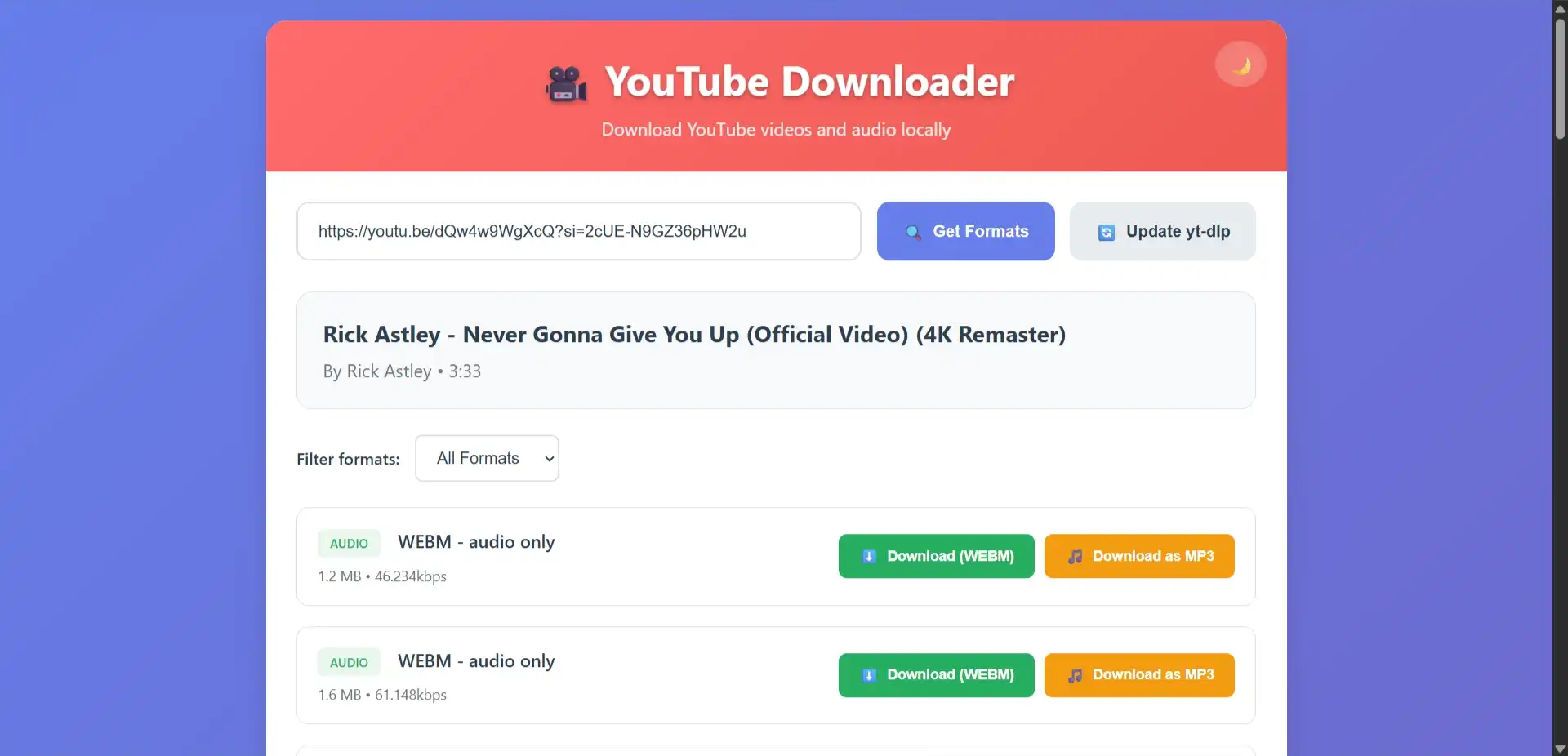
Concept
YouLoader is a self-hosted YouTube downloader designed to run entirely on local infrastructure. The application provides a web-based interface for extracting video and audio content from YouTube, eliminating the need for browser extensions or third-party download services.
The architecture prioritizes simplicity and privacy — all downloads are processed server-side using yt-dlp, with no external API dependencies or data collection. Users interact through a responsive frontend that communicates with a lightweight Flask backend.
Design and Architecture
The system follows a clean separation between frontend and backend layers:
- Flask Web Server - Handles HTTP routing, format requests, and download orchestration
- yt-dlp Integration - Extracts available formats and manages download streams
- FFmpeg Pipeline - Enables audio extraction and format conversion
- File Organization System - Automatically routes downloads to audio or video directories
The application exposes three primary endpoints:
- Format Discovery (
/formats) - Retrieves all available download options for a given URL - Download Execution (
/download) - Initiates the download with specified format parameters - Update Mechanism (
/update) - Refreshes yt-dlp to the latest version
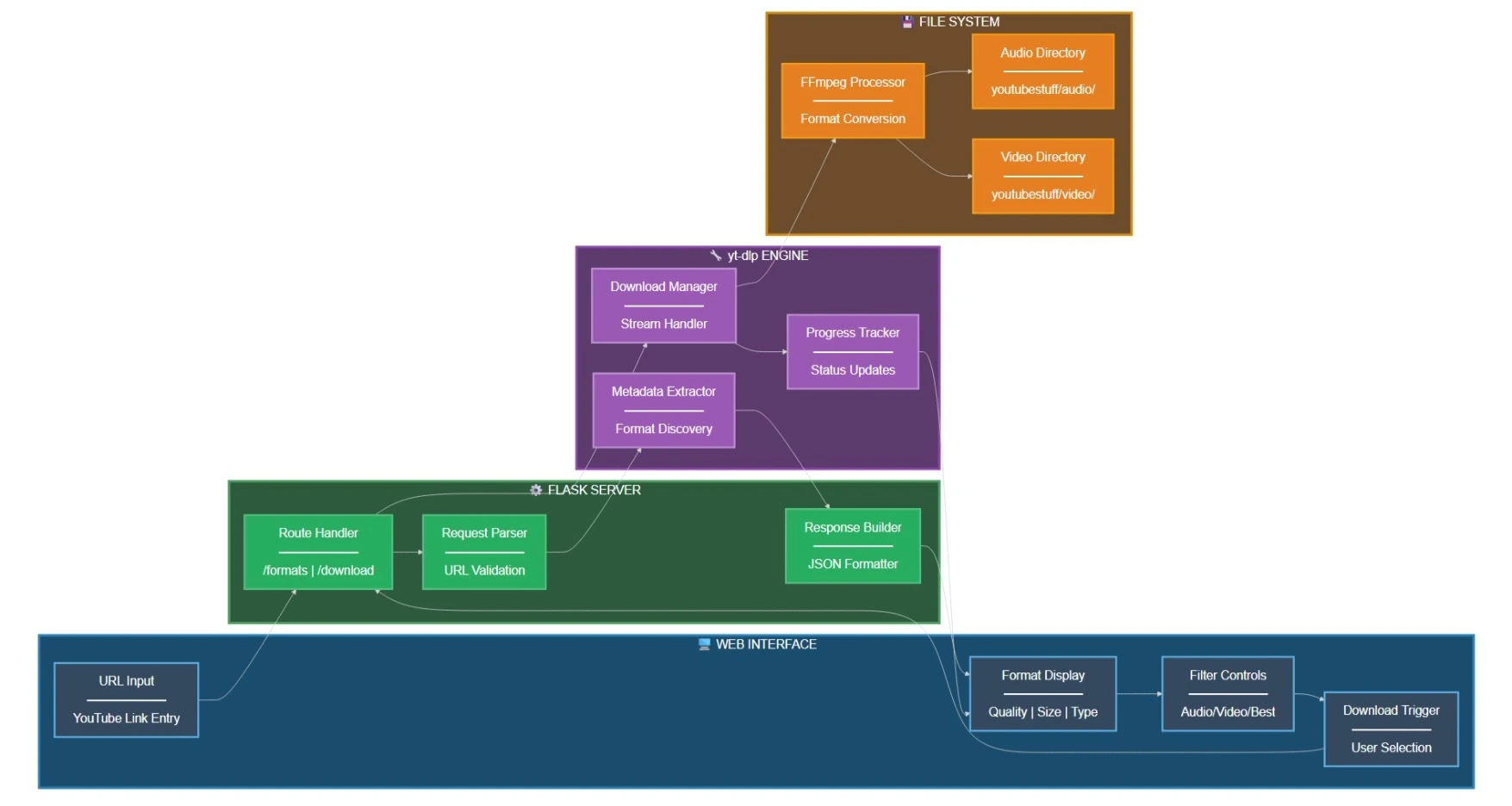
All downloads are routed to a dedicated youtubestuff directory, with audio files separated from video files for organized storage.
Interface and Experience
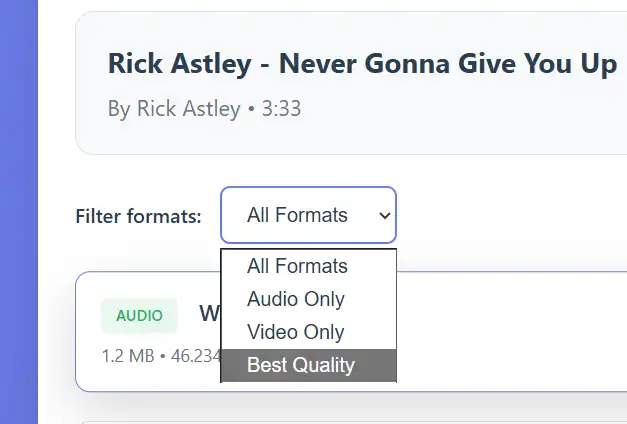
The web interface is built with vanilla JavaScript and styled using modern CSS. The layout consists of three functional zones:
- Input Section - URL entry and format retrieval
- Format Selector - Dropdown filters for audio/video/best quality
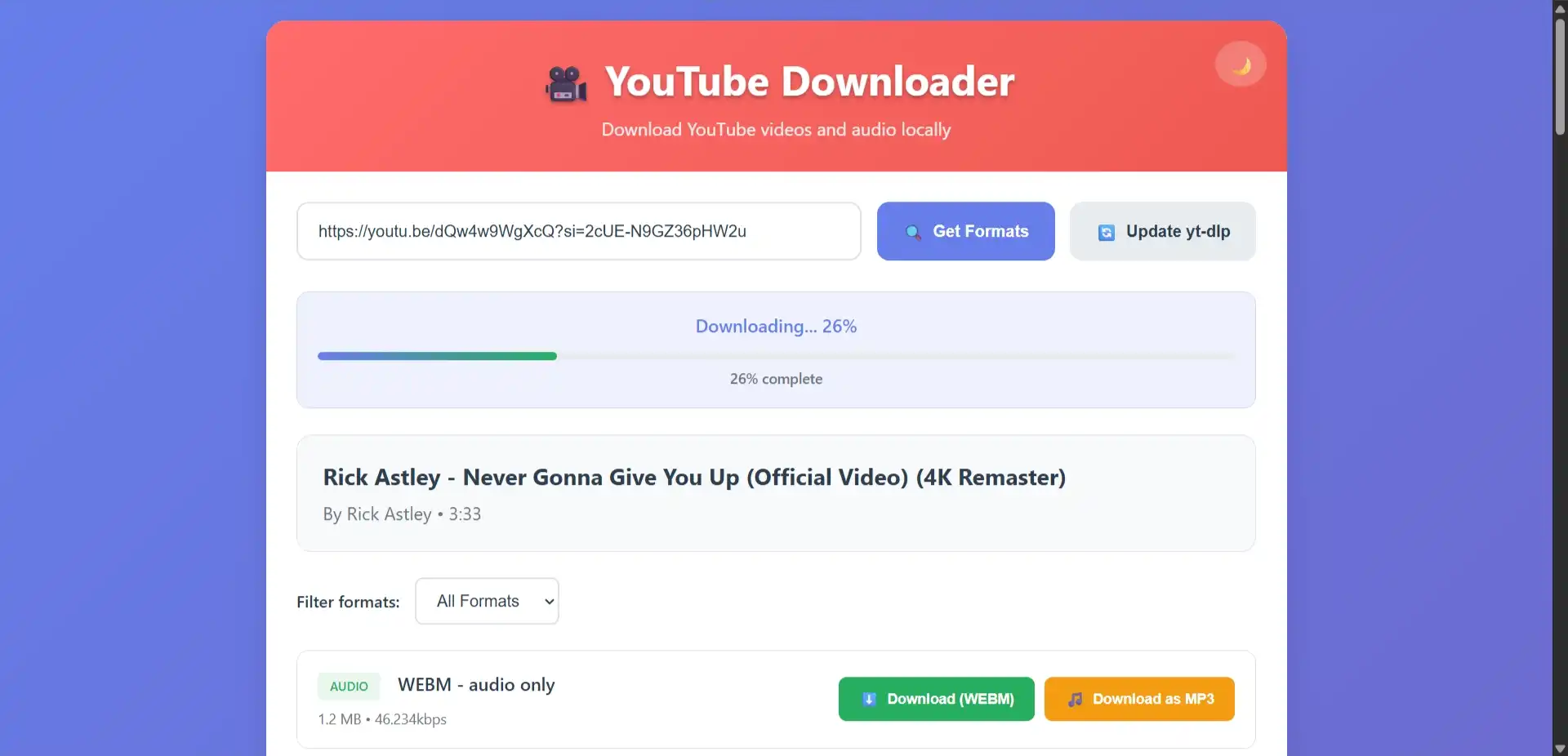
- Status Display - Real-time progress feedback
Visual Design
- Minimalist color scheme with high contrast for readability
- Responsive grid that adapts to mobile and desktop viewports
- Dynamic format cards with size indicators and quality labels
- Persistent status bar for download progress tracking
Technical Deep Dive
Backend Implementation
The Flask server initializes with automatic directory creation for audio and video storage. Route handlers are designed for asynchronous operation, allowing concurrent downloads without blocking the main thread.
1 | download_folder = os.path.join(os.getcwd(), 'youtubestuff') |
Format Detection
When a URL is submitted, yt-dlp extracts metadata without downloading. The system parses available formats and returns structured JSON containing:
- Format ID and resolution
- File size (when available)
- Audio/video codec information
- Quality classification
Download Processing
The download handler determines the appropriate output directory based on format type (audio-only vs. video). Files are saved with sanitized filenames and original metadata preserved.
Automatic Updates
The application includes a built-in updater that executes pip install --upgrade yt-dlp through a subprocess, ensuring compatibility with YouTube’s frequently changing infrastructure.
Development Log
- Initial Release: Core Flask application with basic download functionality
- Format System: Added support for format filtering and quality selection
- File Organization: Implemented automatic audio/video separation
- Progress Tracking: Integrated real-time status updates
- Setup Automation: Created
setup.pyfor dependency management - Update Mechanism: Built-in yt-dlp updater for maintenance
Usage Workflow
The application follows a straightforward interaction pattern:
- Initialization - Server starts on
localhost:5000by default - URL Submission - User pastes YouTube link and requests available formats
- Format Selection - Available options are displayed with filtering capabilities
- Download Execution - User selects desired format and initiates download
- Completion - File is saved to the appropriate directory with status confirmation
Requirements and Setup
Dependencies
Installation Options
Automated Setup:
1 | python setup.py |
Manual Installation:
1 | pip install flask yt-dlp |
Current Status
- Flask-based web server
- yt-dlp integration with format discovery
- Audio/video file organization
- Real-time download progress
- Format filtering system
- Automatic yt-dlp updates
- Download queue management
- Playlist support
- Custom output naming templates
Future Goals
- Implement batch download capabilities for playlists
- Add support for custom filename templates
- Integrate download history tracking
- Create configuration panel for default settings
- Add subtitle download options
- Implement bandwidth throttling controls
Security Considerations
This application is designed exclusively for local network use. Exposing the server to the public internet without authentication mechanisms is strongly discouraged. All downloads are processed on the host machine, with no telemetry or external data transmission.
Troubleshooting
Format Discovery Issues:
Verify URL validity and ensure yt-dlp is updated to the latest version.
Download Failures:
Check internet connectivity and FFmpeg installation. Some formats require FFmpeg for post-processing.
Port Conflicts:
If port 5000 is occupied, modify the Flask configuration to use an alternative port.
Missing Formats:
Install FFmpeg to unlock additional format options and audio extraction capabilities.
Acknowledgements
This project integrates several established open-source tools:
- yt-dlp - YouTube download engine
- Flask - Python web framework
- FFmpeg - Multimedia processing toolkit
License
Released under the MIT License.
Author: kc-codes42
Repository: GitHub
File Structure
1 | youtube-downloader/ |
About this Post
This post is written by Kaustubh Chauhan, licensed under CC BY-NC 4.0.